
Saturday, March 7, 2009
Have you ever needed to repeatedly access a folder that is nested deep inside a giant hierarchy of folders? Sure, you can always create a shortcut to that folder, but did you know you can actually assign a drive letter to a folder instead? Today we'll show you how to do this.
This ability has existed in Windows via the subst command for quite a while, so this will also work for you XP users as well.
Map a Drive Letter the Easy Way
The easiest way to assign a drive letter to a folder is to use a simple utility called Visual Subst, which gives you a nice graphical interface to assign drive letters, but also does something that the command line version can't… you can set your virtual drives to apply again at startup.
You can download and run the utility without needing to install it, and then simply use the Browse button to select your path, and click the green plus symbol after choosing the drive letter.

At this point you should see the drive letter show up in the list. (Note that you can delete it by highlighting and choosing the red X icon, or change the path / letter by using the Save button.

If you want to save the drives, you'll want to select the "Apply virtual drives on Windows startup" option.
Now when you open up your Computer window, you should see the new drive show up in the list.

The contents of the new M: drive will actually be the contents of my desktop folder.
Download Visual Subst from ntwind.com
Wednesday, November 26, 2008
Have you ever needed to repeatedly access a folder that is nested deep inside a giant hierarchy of folders? Sure, you can always create a shortcut to that folder, but did you know you can actually assign a drive letter to a folder instead? Today we'll show you how to do this.
This ability has existed in Windows via the subst command for quite a while, so this will also work for you XP users as well.
Map a Drive Letter the Easy Way
The easiest way to assign a drive letter to a folder is to use a simple utility called Visual Subst, which gives you a nice graphical interface to assign drive letters, but also does something that the command line version can't… you can set your virtual drives to apply again at startup.
You can download and run the utility without needing to install it, and then simply use the Browse button to select your path, and click the green plus symbol after choosing the drive letter.
At this point you should see the drive letter show up in the list. (Note that you can delete it by highlighting and choosing the red X icon, or change the path / letter by using the Save button.
If you want to save the drives, you'll want to select the "Apply virtual drives on Windows startup" option.
Now when you open up your Computer window, you should see the new drive show up in the list.
The contents of the new M: drive will actually be the contents of my desktop folder.
Download Visual Subst from ntwind.com
Courtesy : www.howtogeek.com
Friday, November 21, 2008
 »»» Download «««
 Q-Dir makes your files and folder easy to manage.
Fast and easy access, with an amazing Quadro-View technique.
You don't have to renounce the usual, Drag and Drop, all Views, and other functions of your system.
No! Q-Dir gives you other nice functions, that make you happy.
One can save many hand moves and also time!
Q-Dir does not have to be installed and can be executed easily from the desktop.
Rename Q-Dir_Installer.exe to Q-Dir.exe and GO.
It's a small famous utility for Windows PC-s and also an USB-stick friend :).
WARNING :Once Q-Dir, always Q-Dir ;)!
    |
:Some Features::
Favorites:
Quick access to most often used folders.
Drag&Drop:
Move files by dragging in Q-views, and other programs such as MS Explorer.
Clipboard:
Copy/ Paste between the Q-Dir directory views, and other programs such as MS Explorer.
Folder-Type:
ZIP-, FTP-,cabinet-,network-, system - folders, shortcuts ...
Views:
Large icons, tiles, list, detail, thumbnail (Vista: extra large symbols) .
Export:
to XLS, CSV, TXT, HTML.
Popup Menus:
Desktop, My Computer.
Screen magnifier:
anything on the screen can be enlarged.
Color Filter:
Different colors for different item types (e.g. *.log;*.txt).
Highlight-Filter:
Effective way for fast items highlighting.
File-Filter:
Allows for quick and easy filtering of the items.
Columns:
All columns support, and save function .
Quick-Link's:
For fast folder access.
Folder-Select:
Fast & flexible folder selection address-bar/ desktop menu/ my-computer menu/...
Multi-INI:
Several INI files for Q-Dir.
Tree-View:
Simple and quadruple.
Preview:
Allows a quick preview.
Portable:
from 2.77 is Q-Dir portable.
New in 3.27 / 08/11/2008
Improvements and corrections: Address bar, Tree-view, menu bar, L-mouse double-click ... .
New in 3.25 / 08/06/2008
1. Vista SP1 Search Fix [F3] and new [Alt + F3] selected item.
2. Tree-view switch problem fixed.
3. Tree-view in Vista in Vista look.
4. Correct updated when you connect and disconnect network drives.
5. The folder deletion is possible even if this is open.
6. With second click on [F2] will select only the name.
7. Couple corrections.
New in 3.23 / 07/31/2008
Small improvements, optimization and beauty fixes.
New in 3.22 / 07/24/2008
1. Win98: corrections in color filter and directory structure.
2. Vista: graphics bug terminated in the address bar.
3. New optional treeview-popup with drive bar: above the button Desk. .
New in 3.20 / 07/19/2008
1. Mini bugs kick: vista, statusbar, address bar!
New in 3.19 / 07/18/2008
1. Delete the Start.qdr at Q-Dir crash.
2. More space for data, address bar either 1x or 4x or no
3. No crash at various removable storage media!
4. Small optimization and bugs
New in 3.17 / 07/04/2008
1. Optimization especially in the memory usage in prolonged use.
2. Treeview: adjustable auto expand drag over time.
3. Singel panel mode for small screens.
New in 3.16 / 06/15/2008
1. Corrections in the launch window positioning of Q-Dir.
2. Some of Vista bugs trod.
3. Better Path interpretation in the address bar, and support the environment variables "%temp%", "%appdate%", "%AppData%", "%UserProfile%", "%AllUsersProfile%", "%ProgramFiles%", "%SystemRoot%", "%SystemDrive%", "%Temp%", "%Tmp%" ....
New in 3.15 / 06/07/2008
1. Corrections and improvements in the microscope.
2. Optional display of directory or name in the title bar.
3. View updated when enable/disable the file filter.
4. Better optics under flat-Design.
5. Renaming on Shell Context-Menu in the Tree-View.
6. Preview and general optimization.
New in 3.13 / 05/29/2008
1. Support for the mouse XButtons Previous and Next navigation.
2. Network access in the tree-view improved and accelerated.
3. Auto update problem in the tree-view for zip folders and network is fixed.
4 PDF preview is possible when Adobe Acrobat Reader >7.0 is installed.
5. Optimization stories.
New in 3.11 / 05/24/2008
1. Driver name change in the tree view is possible, also 'UNDO' last rename command.
2. Auto update correction in the tree-view, improvement for List-View.
3. Start error message suppression: removable media or unreachable/deleted folders!
4. Shell menu display the full folder path in the status bar.
New in 3.09 / 05/19/2008
1. Direct rename in the Tree-View is possible, also copy/paste/cut [Ctrl] + C V X.
2. Two views more 2 & 3 rotated.
3. Small size optimization!
New in 3.07 / 04/27/2008
1. Speed-Optimizing in color filters for larger directories.
2. Optional activation of colors or bold font for the tree view's.
3. Font size corrections in the display (accwiz.exe).
New in 3.05 / 04/20/2008
1. Corrections:Tree-View,Color-Filter,Popup-Menue.
New in 3.03 / 04/13/2008
1. File filters corrections.
2. Color filter correction .
3. Marking filter corrections.
4. Tree-view corrections.
5. The view-settings will be saved in the INI. For portable also everything else.
6. Q-Dir is 100% portable.
7. Optimization and fine-tuning;).
New in 2.99 / 04/07/2008
1. English translation.
2. View transferor right mouse button on the Q-Icon.
3. Quick Links folder problem resolved
4. Portable Install corrections.
5. ALT + LEFT / RIGHT = Back / Forward navigation.
6. The marker filter can be used as file filter
7. Unicode version: support of Asian, Arabic, Hebrew, ... Writings.
8. Speed and other optimization;).
....
Courtesy : http://www.softwareok.com/
Saturday, October 4, 2008
I have always wanted this kind of software. I have thousands of mp3 songs packed in various partitions of my hard disk. I have collected these songs from several places and keep them storing, but the problem while augmenting my collection is that I am never sure whether I have copied the set of songs before or not, so I just copy them irrespective of the fact that they may be already present. The consequence is that my hard disk space is almost filled with duplicate files
That is why I always wanted a software that could compare the contents of two folders and remove the duplicate elements.

File Comparator is a program which compares any files by their contents. This utility allow you to quickly compare contents of any files in specified folders, and allow to show files which contain same data.


Monday, August 11, 2008

Tuesday, July 29, 2008

Monday, July 28, 2008
Adolix Wallpaper Changer is a wallpaper software that will help you change wallpaper on your desktop. Using this powerful background changer you can use all your favorite images as wallpapers. Adolix Wallpaper Changer supports many file types like JPG, GIF, PNG, and BMP.
Download Full Version!
You can download the full and free version of Adolix Wallpaper Changer (3.2 Mb) by clicking on the link below. Download time: 3 min and 16 seconds at a 56Kb Dial-Up connection.

After download, open the file AdolixWallpaperChangerSetup.exe and the installation wizard will appear. Follow the easy steps in order to complete the installation.
Here is an example of how Adolix Wallpaper Changer improves your desktop:

Benefits
- Change background on your computer.
- User friendly interface with full context-sensitive help and comprehensive help file.
- Create play lists of your favorite wallpapers and customize them as you like.
- Extensive supports for all popular graphics formats: BMP, JPG, GIF, PNG,PCX,TGA, TIF and WMF.
- You can program the wallpaper to change automatically after a specified time period (e.g. every 5 minutes).
- You can use different background color for each wallpaper.
- Schedule option that saves precious time
- Fit to screen and auto fit position options for the wallpaper.
- Animate Adolix Wallpaper Changer tray icon
Screenshots
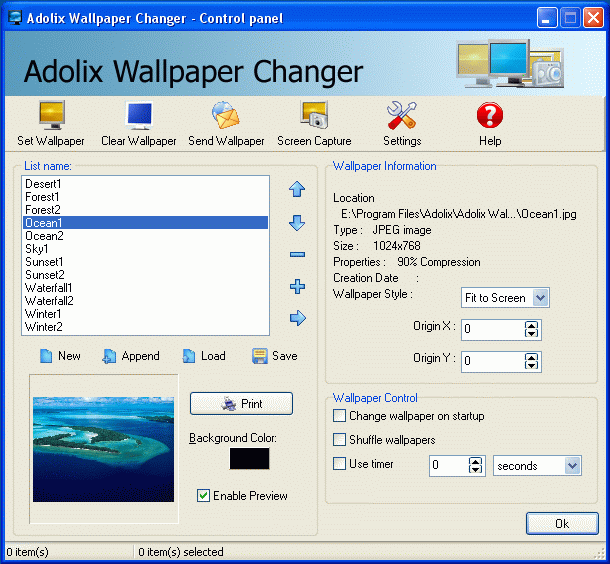
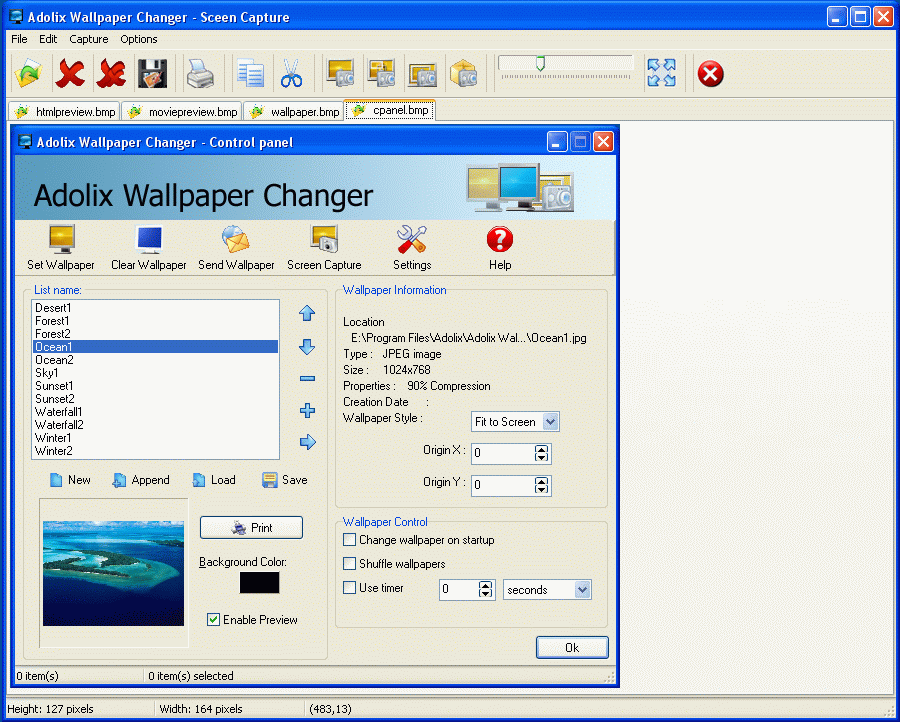
Friday, June 27, 2008
Description
FreeRAM is a program that frees up ram manually or automatically. It shows current memory status , memory load and CPU usage graphically. Best of all, it is completely free.
Features
It can be enabled/disabled directly from tray icon popup
Defaults button in options
Number of retries can be set up in options
Sound when freeing ram
Amount of free ram can be displayed in the system tray
Site Link
http://www.bysoft.com
Download Link
http://www.bysoft.com/dl1.php?file=Fre
Yahoo! Messenger 9 BETA - With a Cool New Look
- Connect with all your friends
- Instant message with a world of friends who use Yahoo! (or Windows LiveTM Messenger).
- Stay in control...24/7
- Decide who sees you online with stealth settings.
- Share away
- Swap photos and files (huge ones) in real time. Plus enjoy voice calls and webcam video.
- & many other features
Site Link
http://messenger.yahoo.com
Download Link
http://download1us.softpedia.com/dl/9a
Opera Web Browser - The Fastest Browser
Description
The award-winning Opera Web browser: The coolest, fastest, and most secure free Web browser available
Site Link
(http://www.opera.com)
Download Link
http://ftp.cgu.edu.tw/Mirror/Opera/win/926/en/Opera_9.26_Eng_Setup.exe
Wednesday, June 18, 2008

Yahoo Messenger Automater description
Useful to change Yahoo! Messenger's status message on your time. Just set the time and change your status! Go offline, sign in, go invisible via a timer. A great way to fool your friends. You simply need to configure a timer and you can do whatever you prefer with your IM status message on the scheduled time.
This automation tool for Yahoo Messenger will enable you to schedule different status messages.
Requirements:
· .NET Framework 2
· Yahoo! Messenger 8.0
Sunday, June 15, 2008
Download Lovely Folders 3.0.
Lovely Folders is a powerful utility to customize your Windows folders. Using this handy program you can replace the standard folder icon for individual folders with any eye-catching icon you wish, chosen from hundreds of built-in colorful icons or generated automatically by internal IconConverter depending on the content of a folder (music, video, images, etc.). Moreover, Lovely Folders can change folder background! Your individual folders now may have a background image - just like your desktop.
Lovely Folders allows you to:
Apply different icons to individual folders in a few mouse clicks
Put any picture as a wallpaper to a folder
Set an info tip for a folder
Replace the system-defined standard folder icon, which is used by Windows to display each folder on your computer
Extract icons from icon files (ICO), icon libraries (ICL) and icon resources (EXE, DLL, CPL, SCR, OCX etc.)
Search for icons on your computer
Copy icon to the current folder to make your folder icons independent from icon source files
Add your favorite icons to the user icon list to access them faster
Powerful features:
Supports ALL sizes (up to 128x128) and ALL color depths (mono, 16 colors, 256 colors, True-color and Windows XP 32-bit with alpha channel) of the icons
Supports the following icon resources formats: Icon files (ICO), Icon Libraries (ICL), Icon Resources (EXE, DLL, CPL, SCR, OCX etc.)
Supports JPEG, GIF images and bitmaps (BMP) as folder background
Lovely Folders automatically determines the content of a folder and recommends the most suitable icons for this folder
Built-in icon converter - simple and fast way to generate folder-look icons
Lovely Folders includes an icon pack with the highest quality icons
Easy updating procedure for the icon sets - simple download and install new icon packs with the highest quality icons
Full integration with Windows Explorer (you can launch Lovely Folders using right-click popup menu)
Supports drag-and-drop (you can drag any file or a folder into the "Change icon" window)
Multilingual interface
Easy to use
Download Genie Backup Manager Pro 6.0
Genie Backup Manager Pro is a very easy to use yet powerful and flexible software that can backup and restore files, documents, emails, settings, programs and more to virtually any local or remote device.
GBM is also the ONLY backup software on the market that gives away unlimited FREE PLUGINS, which the user can download or create to extend the capabilities of the software.
Backup, Protect, Restore, Every thing, Anytime, With a click of a button
Hot New Features In GBM Pro 6.0
Running Backup Tasks While Logged Off
Multi-Drive Spanning
Enhanced Backup Engine
New Backup Type (Differential Backup)
Free Plugins Search And Download
Easy And Normal Backup Wizard Layouts
CRC Data Verification
Enhanced Tape Backup Engine
Pre And Post Job Commands
Search For Files
Simulate CD/DVD Backup Before Burning
.Backup to virtually any storage device, including:
External and Internal hard disks
SAN, NAS, and LAN locations: Across network
Memory Sticks (Flash memory)
CD/DVD media (DVD±RW/DVD±R/DVD-RAM/CD-R/CD-RW):
Removable media devices (floppy disks, ZIP disks, JAZ etc ...): Multi- backups
Remote locations using FTP service: Upload auto-resuming supported
Tape devices
Self restorable backup sets (Swift restore):
Genie Backup Manager Pro offers users a feature that enables them to restore their backed up data to any machine regardless of whether GBM Pro is installed on it.
Backup with and without compression:
Users who deem disk space important and scarce can compress the backed up data to save precious storage space. GBM Pro uses non-propriety zip format compression, which makes it easy to retrieve data manually form the backup set for instance if GBM PRo was not installed.
GBM Pro can also backup without compression, in which file/folder structuring is preserved, and the user can access any file directly in the backup set
Standard Zip format compression : GBM Pro uses non-propriety Zip format compression for backing up data. Data can be manually accessed using any zip compatible compression utility
Download TuneUp Utilities 2004.
TuneUp Utilities 2004 optimizes the performance of your computer, solves problems and helps you to customize your system to suit your needs.
Extend your operating system's capabilities:
TuneUp Utilities 2004 makes Windows faster, more secure and comfortable. All important aspects of system configuration, security, cleaning and maintenance are combined under a modern graphical user interface.
Make Windows look and run the way you want it to
TuneUp SystemControl allows you to easily customize the operating system to suit your needs. You can turn off annoying optical effects, secure your system or add useful functions to Internet Explorer.
With TuneUp WinStyler you can give Windows your personal touch by changing the look of your system icons or even the whole user interface under Windows XP.
Repair problems and remove unnecessary clutter
A lot of unrequired garbage collects on your hard disk during normal usage. TuneUp DiskCleaner scans your hard disk for these unnecessary files and removes them.
Another useful tool is TuneUp RegistryCleaner, which finds and solves problems caused by invalid entries, references and links in the Windows registry.
Programs that you don't use anymore can be comfortably removed with TuneUp Uninstall Manager.
Optimize the performance of your computer
With the new 1-Click Maintenance, frequent maintenance tasks such as cleaning the hard disk and the registry can be completed with a single mouse click or even automatically on a scheduled basis.
TuneUp System Optimizer optimizes your system and internet settings and provides you with valuable information on how to improve your computer's configuration.
TuneUp MemOptimizer monitors your system in the background and optimizes your memory when necessary.
Keep Windows under your control
TuneUp Process Manager and TuneUp Registry Editor offer improved functions when administering your system in comparison to Windows' built-in tools.
With TuneUp StartUp Manager you can choose which programs should be launched during boot-up and user logon.
TuneUp System Information provides extensive information about your computer's hardware and software.
Recover important files and protect your privacy
With TuneUp Undelete you can recover accidentally deleted files even if they cannot be found in the Windows recycle bin. This often allows you to recover your precious work.
TuneUp Shredder on the other hand uses an algorithm developed by the US Department of Defense to securely delete your files and to make them unrecoverable even by professional file recovery companies.
Your TuneUp Utilities advantages:
Personalizes your Windows desktop
Frees your system of unnecessary clutter
Improves the performance of your PC
Accelerates your internet connection
Frees up system memory
Gives tips about hardware and software
Displays detailed system information
Recovers accidentally deleted files
Destroys sensitive information
Download XoftSpy v4.15.108
XoftSpy 4.15.108 is the Latest and Most Advanced Spyware Detection and Removal application on the Internet. It will prevent anyone from "spying" on your Internet activites.
Use this Free Scanner to find out if your PC is infected with:
Spyware
Spybot
Browser Hijackers
Adware
Malware
Keyloggers
What is Spyware?
Spyware is the most prevalent threat to online computer privacy and security
.It allows companies to track your Internet patterns and record your credit card and any other personal information without your permission
Spyware allows users to take control of their browser and alter your computer system files
These computer parasites slow down your Internet connection by inundating you with unwanted spyware pop-up ads
It cannot be detected by anti-virus and firewall software
9 out of 10 computers are infected by Spyware.
Download WinGet 2.1
WinGet is a download manager that can increase download speeds by up to 300 percent. You may automatically resume broken downloads if your connection is lost or if your computer accidentally shuts down. WinGet is fully integrated into the browser, providing the best possible performance from any Internet connection. It has also support for proxy servers, authentication and cookies.
.
Features
Multiple Protocol Support. WinGet supports file download from both file transfer (FTP) and web (HTTP) servers.
Browser Integration. WinGet works as the default download tool for Internet Explorer, Opera and Mozilla-based browsers. It can monitor clicks in the browser, also it integrates in the browser's right-click menu.
Accelerated Downloads. By splitting the files into several parts and downloading them at the same time you save time. In some cases the acceleration can be several hundreds percent.
Reliable Downloads. WinGet will make unlimited amount of attempts to download the file, until download is completed.
Superior Ease-of-Use. WinGet's interface is logical, integrated, informative and customizable. Queue your downloads with WinGet's logical queuing system.
Site Explorer. Built-in explorer allows to browse remote FTP sites in a user-friendly format, so you can choose what files you want to download.
Proxy Support: You can enable HTTP or SOCKS proxy support to access servers through the firewall.
Download FileRecoveryAngel 1.13
Filerecoveryangel is an advance and convenient data recovery software that is very simple to use.
This software will help you to recover deleted files from disks which were formatted in FAT12,FAT16,FAT32,NTFS file system.The program runs under Windows ®WIN95/WIN98/WIN Me/WIN NT/WIN2000/WIN XP/ WIN 2003. ... Not only the hard disks ,Filerecoveryangel can work well on floppy disks, digital cameras, USB drives, ZIP disks, CompactFlash cards, SmartMedia, and Sony Memory Sticks.
.Reason of Recover Files
when you delete files,the windows just make a sign on these deleted files. The Windows do not really deleted the information and the data of files, and the information and the data of deleted files would not be losted here. So we have a good chance to recover these files immediately.
But if you do not recover these deleted files, soon or later the data of these files would be covered with other new files. Then you would not get a correct files with Filerecoveryangel.
Discrete Files
If the parent directory of the deleted files and directories has been covered In NTFS, then these deleted files and directories can't been putted into the Drive's dirctory tree.So we put these files and directories into "Discrete files"
Unrecoverable Files
Sometimes we will get a incorrect files with the Filerecoveryangel. Because the whole data or the part of data of the deleted files had been covered with other data. Otherwise,In FAT system that including FAT32,FAT16,FAT12,the data of the file maybe stored in fragment.When we recover these deleted files In FAT,we just recover the data in rapid sequence, so we can not get the correct files.


